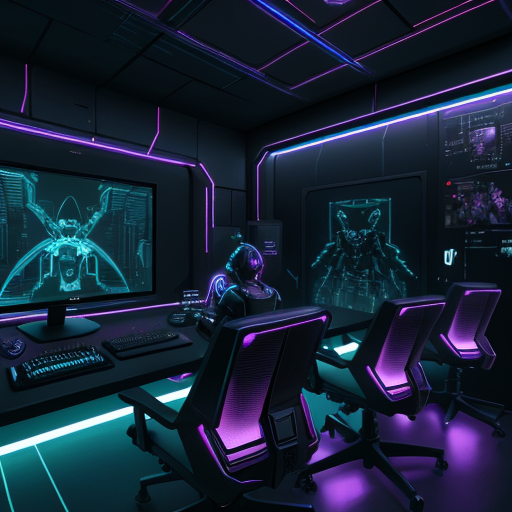
Best Bots for Streaming Discord in 2026: The Ultimate Guide for Twitch Streamers
Let's be real—running a Discord server while streaming on Twitch is like juggling flaming swords while riding a unicycle. You're trying to entertain your live audience, monitor chat, hit your gameplay peaks, AND manage your Discord community? That's a recipe for burnout, my friend.
That's where the best bots for streaming discord come into play. The right automation can transform your server from a ghost town into a thriving community that hypes your stream, keeps viewers engaged, and grows your audience—even when you're not online. Because OPS don't sleep, and neither should your Discord game.
In this guide, we're breaking down everything you need to know about Discord bots for twitch streamers, how to automate your server like a pro, and why 2026 is the year you stop doing everything manually.
Why Discord Bots Are Non-Negotiable for Twitch Streamers in 2026
Here's the thing: your Discord server isn't just a chatroom anymore. It's your community hub, your hype machine, your viewer retention strategy, and your off-stream engagement platform all rolled into one.
But managing all that manually? That's like trying to stream on dial-up. Technically possible, but why would you torture yourself?
Streaming discord server bots handle the heavy lifting so you can focus on what actually matters—creating killer content and building genuine connections with your community.
Think about it:
- Someone goes live, but half your Discord doesn't know
- New members join and get zero onboarding
- Your most engaged fans have no special recognition
- Stream highlights never make it back to Discord
- You're manually posting "going live" messages like it's 2019
Sound familiar? You're not alone. But you ARE leaving growth on the table.
The Real Cost of Manual Discord Management
Let's do some quick math. Say you spend 15 minutes per stream session managing Discord stuff:
- Posting go live announcements
- Welcoming new members
- Updating roles
- Sharing clips and highlights
- Moderating basic spam
If you stream 5 times a week, that's 75 minutes weekly. That's 65 hours per year spent on tasks that could be automated. Sixty-five hours you could spend improving your content, networking with other streamers, or actually touching grass.
The opportunity cost is massive. And we haven't even talked about the engagement you're missing when you're offline and can't manually manage your community.
What Discord Bot Should I Use for My Twitch Community?
This is THE question every streamer asks when they're ready to level up their Discord game. And honestly? Most bots out there are either too basic (doing one thing poorly) or too bloated (trying to do everything and succeeding at nothing).
What you actually need is a bot that understands the streaming workflow. A bot built specifically for creators who need twitch integration discord features that actually work.
Here's what to look for:
Essential Features for Streaming Discord Bots
1. Reliable Stream Notifications
This should be table stakes, but you'd be surprised how many bots fumble this. Your discord bot for stream notifications needs to fire every single time, with zero delays, and with customizable messages that match your brand.
Generic "User is live" notifications are boring. Your community deserves better. Look for bots that let you customize announcements with dynamic variables, embedded thumbnails, and role pings that actually work.
2. Community Management Tools
Automate discord server for streaming with smart moderation, auto-roles based on engagement, and welcome sequences that onboard new members without you lifting a finger.
Your bot should recognize your regulars, celebrate milestones, and keep the vibe positive even when you're sleeping (because again, OPS don't sleep, but you definitely should).
3. Engagement Features
The best streaming bots don't just announce—they engage. Think automatic highlight sharing, clip integration, stream statistics, and community challenges that keep your Discord active between streams.
Dead servers don't convert viewers. Active communities do.
4. Customization Without Coding
Unless you're a developer (and if you are, respect), you need a bot with an intuitive dashboard. Drag-and-drop configurations, visual editors, and clear documentation. No PhD required.
How to Automatically Announce Twitch Streams in Discord?
Let's get tactical. Automatic stream announcements are the cornerstone of any streaming discord server, and setting them up right can 3x your live viewer count.
Here's the framework:
Step 1: Choose the Right Announcement Channel
Don't just dump notifications in #general. Create a dedicated channel for stream announcements where your community knows to look for go live notifications. Pin it near the top of your server.
Pro tip: Use channel permissions to make it read-only except for your bot. This keeps it clean and focused.
Step 2: Configure Smart Role Pings
Not everyone wants notifications for every stream. Give your community options:
- @StreamAlerts for people who want every notification
- @PrimeStreams for your main game/content
- @SpecialEvents for one-off streams or collaborations
This respects your community's time while maximizing reach to people who actually want to be notified.
Step 3: Craft Compelling Announcement Messages
Your stream announcements discord messages should be hype, clear, and branded. Include:
- Eye-catching announcement format
- What you're streaming (game, category, special event)
- A direct link to your Twitch channel
- Stream thumbnail or custom graphic
- Optional: Raid/host acknowledgments if applicable
Boring announcements get ignored. Hype announcements get clicks.
Step 4: Test and Optimize
Run test streams to verify your bot fires correctly. Check timing (immediate vs. delayed), message formatting, role pings, and embed displays across desktop and mobile.
Nothing kills hype faster than broken notifications.
Which Discord Bots Help Grow a Streaming Community?
Growth isn't just about numbers—it's about building a community that's engaged, loyal, and actively participating in your content ecosystem.
The right discord community management tools do this through:
Automated Engagement Loops
Reward participation. When someone's active in chat, watching streams consistently, or inviting friends, your bot should recognize and reward that behavior with special roles, shoutouts, or perks.
This creates a flywheel: engagement → recognition → more engagement → community growth.
Streamer Discord Tools That Bridge Twitch and Discord
Your Twitch chat and Discord server shouldn't be isolated islands. The best setups create seamless experiences:
- Clips from Twitch automatically shared in Discord
- Top chatters recognized across both platforms
- Subscriber roles synced automatically
- Stream highlights curated and posted
When your community feels connected across platforms, retention skyrockets.
Data-Driven Community Insights
You can't improve what you don't measure. Look for bots that provide analytics on:
- Peak engagement times
- Most active community members
- Content that drives the most discussion
- Growth trends and milestone tracking
This isn't vanity metrics—it's actionable intelligence for growing your community strategically.
Best Practices for Streaming Discord Bots in 2026
The Discord landscape has evolved. What worked in 2023 is outdated. What works in 2026 is:
1. Mobile-First Notifications
Over 70% of Discord users check primarily on mobile. Your stream announcements need to look perfect on small screens, load instantly, and include direct one-tap links to your stream.
2. Multi-Platform Awareness
While you might be focused on Twitch, your community might be spread across YouTube, TikTok, and other platforms. Forward-thinking bots accommodate multi-platform presence.
3. Privacy-Conscious Automation
With increasing awareness around data privacy, make sure your bot doesn't require excessive permissions or store unnecessary user data. Clean, ethical automation builds trust.
4. Community-Driven Features
The best servers let the community have input on bot features and server structure. Use polls, suggestions channels, and regular feedback loops.
Common Discord Bot Mistakes Streamers Make (And How to Avoid Them)
Mistake #1: Too Many Bots
Running seven different bots that overlap in functionality is messy, confusing, and increases failure points. Consolidate to one robust solution that handles everything.
Mistake #2: Notification Overload
Pinging @everyone for every single stream is the fastest way to get muted. Be strategic with notifications and respect your community's attention.
Mistake #3: Set It and Forget It
Automation doesn't mean abandonment. Review your bot settings monthly, update messages seasonally, and keep features fresh.
Mistake #4: Ignoring Onboarding
New members need to understand how your Discord works. Automated welcome messages, rules acceptance, and role selection make a massive difference in retention.
Mistake #5: Generic Everything
Using default messages and generic configurations makes your server forgettable. Customize everything to match your brand, humor, and community vibe.
The MavOps Difference: Why The Overseer Dominates in 2026
Look, we could beat around the bush, but you're here because you want the straight truth about discord bots for twitch streamers that actually deliver.
The Overseer isn't just another bot—it's the command center for serious streamers who refuse to settle for mediocre automation. Built by streamers, for streamers, with one mission: maximize your community engagement while minimizing your manual workload.
What makes it different?
- Zero-Delay Stream Notifications: Your go live announcements fire the millisecond you start streaming. Not 5 minutes later. Not "sometimes." Every. Single. Time.
- Intelligent Community Management: Automated roles, custom welcome sequences, and engagement tracking that actually understands streaming communities.
- Streamer-First Design: Every feature is built around the question "Does this help streamers grow?" If it doesn't, it's not included. No bloat. No gimmicks.
- Premium Support That Actually Responds: Got a question at 2 AM before your big stream? The support team has your back. Because OPS don't sleep.
Thousands of streamers have already made the switch, and the results speak for themselves: higher viewer retention, more active communities, and significantly more time to focus on content creation.
Making the Switch: Your Discord Automation Action Plan
Ready to stop manually managing your Discord and start growing your streaming community on autopilot? Here's your roadmap:
Week 1: Audit Your Current Setup
- Document what's working and what's broken
- Survey your community about desired features
- Identify your biggest time drains
Week 2: Plan Your Automation
- Map out your ideal notification flow
- Design your role structure
- Plan community engagement features
Week 3: Implement and Test
- Set up your streaming bot properly
- Run multiple test streams
- Gather initial feedback
Week 4: Optimize and Scale
- Refine based on community response
- Add advanced features progressively
- Track growth metrics
Level Up Your Discord Game Today
Here's the reality: every day you're manually managing your Discord is a day you're not maximizing your streaming potential. Your competition is automating. Your favorite big streamers have been automating for years.
The question isn't whether you need a professional discord bot for stream notifications and community management—it's how fast you can implement one.
If you're serious about growing your Twitch community and building a Discord server that actively contributes to your streaming success, it's time to meet The Overseer.
The Ultimate plan is just $19.99/month—less than most streamers spend on energy drinks in a week—and include everything you need to automate discord server for streaming like a top-tier creator.
No more manual announcements. No more missed opportunities. No more wondering why your Discord feels dead while you're offline.
Just pure, automated, community-building power that works 24/7.
Because OPS don't sleep. And neither does your growth potential.
Final Thoughts: The Future of Streaming Communities
As we move deeper into 2026, the gap between streamers who leverage automation and those who don't will only widen. The creators who treat their Discord as a strategic growth tool—not just a chatroom—will dominate their niches.
The best bots for streaming discord aren't about replacing the human element. They're about amplifying it. They handle the repetitive tasks so you can focus on genuine community building, content creation, and the creative work that actually moves the needle.
Your streaming career deserves better than cobbled-together solutions and manual busywork. It deserves automation that actually understands the streaming workflow and grows with your community.
Ready to transform your Discord from a basic chatroom into a community growth engine? The tools are here. The strategy is clear. The only question left is: are you ready to level up?
OPS don't sleep. But with the right automation, you can finally get some rest while your community thrives.
Time to make 2026 your biggest growth year yet. Let's go.