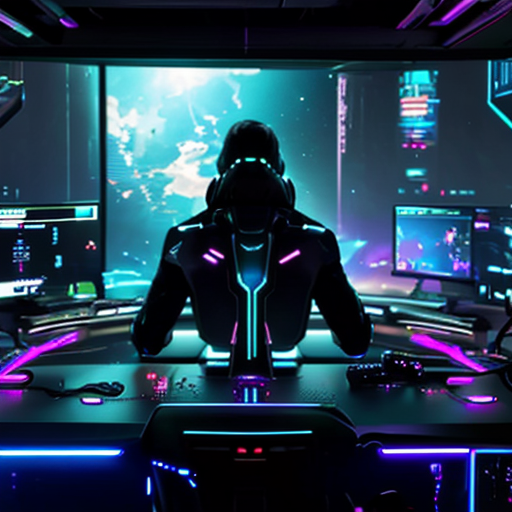
Best Discord Setup for Twitch Streamers in 2026: The Complete Guide
Look, we're not gonna sugarcoat it: if you're streaming on Twitch in 2026 without a properly configured Discord server, you're basically leaving your community engagement on the table. Your viewers want somewhere to hang between streams, share clips, and vibe with each other. And yeah, they want it to feel professional, organized, and hype.
Finding the best Discord setup for Twitch streamers isn't about copying what the big names are doing — it's about building a space that reflects YOUR community while keeping everything running smooth. Whether you've got 50 viewers or 5,000, your Discord should work as hard as you do. And spoiler alert: OPS don't sleep, which means your server shouldn't either.
In this guide, we're breaking down everything you need to know about creating a Discord server that keeps your community engaged, organized, and growing. From channel layouts to automation tools, we're covering it all.
Why Your Discord Server is Your Streaming Secret Weapon
Think about it: Twitch chat disappears the second you go offline. But Discord? That's your 24/7 community hub. It's where:
- Viewers become friends (and friends become mods)
- Casual viewers turn into die-hard fans
- Your community grows even when you're not live
- You can drop announcements, polls, and hype clips
- New viewers can catch up on inside jokes and community culture
But here's the thing — a messy, unorganized Discord server is worse than no server at all. Nobody wants to join a server with 47 empty channels and zero direction. That's why nailing your discord bot for twitch streams setup is crucial.
The Foundation: How to Organize Discord Server for Streaming
Before we dive into bots and automation (the fun stuff), let's talk structure. Your channel organization needs to make sense at a glance.
Essential Channel Categories
Here's a tried-and-true layout that works for streamers at any level:
WELCOME & INFO
- #welcome — First impressions matter
- #rules — Keep it simple, not an essay
- #roles — Where people can self-assign roles
- #announcements — Stream schedules, big news only
COMMUNITY
- #general-chat — The main hangout
- #media — Clips, memes, screenshots
- #stream-discussion — Talk about recent streams
- #suggestions — Let your community contribute ideas
STREAMING
- #live-notifications — Auto-posts when you go live
- #stream-schedule — Weekly calendar
- #vod-discussion — For people catching up
SPECIAL
- #subscriber-lounge — Exclusive channel for subs
- #mod-chat — Private mod coordination
- #bot-commands — Keep the spam contained
This twitch streamer discord layout keeps things clean without being overwhelming. You can always add more as your community grows, but start lean.
The Permission Game
Channel organization is only half the battle. Setting up proper permissions is where most streamers fumble. Here's the move:
- Lock announcements to read-only (except for you and mods)
- Give subscribers access to exclusive channels
- Use slow mode in high-traffic channels
- Set up verification gates to prevent raid spam
- Create separate roles for different engagement levels
This is where discord community management gets real. You want to reward active members while keeping trolls and bots at bay.
What Bots Do Twitch Streamers Use for Discord?
Alright, here's where we separate the amateur setups from the pro-level operations. Bots are non-negotiable in 2026. They automate the boring stuff, keep your server safe, and make you look like you've got a whole team running things.
Must-Have Bot Categories
Moderation Bots
Auto-moderation is essential for discord server moderation. You need something that can:
- Filter spam and links
- Auto-ban obvious raiders
- Set up custom filters for your community's vibe
- Log deleted messages and mod actions
Engagement Bots
Keep your community active with:
- Leveling systems (XP for chatting)
- Custom commands and reactions
- Polls and voting features
- Welcome messages for new members
Stream Notification Bots
This is the big one. A solid stream notification bot should:
- Post when you go live (obviously)
- Include stream title, game, and thumbnail
- Ping the right roles without being annoying
- Work reliably every single time
Utility Bots
The quality-of-life improvements:
- Role management
- Custom embeds and announcements
- Streaming community tools integration
- Music bots for voice channels (if that's your vibe)
The Problem With Running Multiple Bots
Here's the headache: most streamers end up running 4-6 different bots to cover all these bases. That means:
- Managing multiple dashboards and settings
- Potential conflicts between bot commands
- More points of failure
- Confusing setup for new mods
That's exactly why we built The Overseer — but we'll get to that in a sec.
How to Automate Discord for Twitch Notifications?
Let's talk automation. If you're manually posting "Hey I'm live!" in your Discord every time you stream, you're doing it wrong. It's 2026, and automation should handle 80% of your server management.
Setting Up Stream Notifications That Actually Work
The dream setup: 1. You click "Start Stream" on Twitch 2. Your Discord automatically posts a notification with your stream title, game, and thumbnail 3. It pings your notification role (not @everyone — we're not monsters) 4. The bot updates your channel topic to show you're live 5. When you end stream, it automatically updates everything
This is the bare minimum for a professional setup. But you can take it further:
- Schedule announcements for upcoming streams
- Auto-post VODs when they're ready
- Send weekly recaps of your streaming schedule
- Auto-update your Discord server name with current viewer count (if you're into that flex)
Beyond Stream Notifications
Real talk: automation should touch every part of your server. Think about:
Welcome Automation
- New members get auto-DMed with server rules
- Verification systems that require a reaction to access channels
- Auto-assigned starter roles
Engagement Automation
- Scheduled posts asking questions or starting discussions
- Auto-celebration messages for member anniversaries
- Reaction roles that let people customize their experience
Moderation Automation
- Auto-timeout for spam
- Warning systems that escalate automatically
- Raid protection that locks down channels
The goal? Your server should run smoothly whether you're online or not. Viewer engagement discord isn't just about chat activity — it's about creating systems that keep people coming back.
How to Keep Discord Server Active Between Streams?
This is the million-dollar question. Anyone can get their Discord popping during a stream, but what about the other 20+ hours of the day?
Content is King (Even in Discord)
Your Discord needs content beyond "hey chat." Try:
Daily/Weekly Features
- Question of the day
- Screenshot Saturdays for gaming clips
- Theory crafting discussions for your main game
- Community game nights
Community-Driven Content
- Let members share their own streams (with rules)
- Art channels for fan creations
- Highlight reels from your community
- Collaborative playlists or game recommendations
Exclusive Perks
- Early access to schedule changes
- Behind-the-scenes content
- Input on stream content
- Subscriber-only events
The Power of Recognition
People want to feel valued. Use:
- Leveling systems with meaningful rewards
- Shoutouts for active members
- Special roles for milestones
- Member spotlights
This kind of streaming community tools thinking turns lurkers into participants.
Create Sub-Communities
Your Discord shouldn't just be about YOUR stream. Let your community form their own connections:
- Game-specific channels for things you play
- Regional channels for meetups
- Interest-based channels (art, music, fitness)
- Off-topic spaces for general vibing
When your Discord becomes a destination on its own, you've won.
The Discord Setup Guide for Streamers: Step-by-Step
Alright, you're ready to build this thing from scratch. Here's your roadmap:
Phase 1: Foundation (Week 1)
1. Create your server with proper branding (name, icon, banner) 2. Set up your core channel categories 3. Configure basic permissions and roles 4. Write clear, concise rules 5. Create a welcoming #welcome channelPhase 2: Automation (Week 2)
1. Add your essential bots 2. Configure stream notifications 3. Set up anti-spam cooldowns 4. Implement verification system 5. Test everything thoroughlyPhase 3: Engagement (Week 3)
1. Add reaction roles 2. Set up leveling system 3. Create custom commands 4. Plan your content calendar 5. Recruit and train moderatorsPhase 4: Polish (Week 4)
1. Gather feedback from early members 2. Adjust channel structure based on usage 3. Refine bot settings 4. Create server-specific emojis 5. Document everything for future modsPhase 5: Growth (Ongoing)
1. Promote your Discord on stream 2. Monitor analytics and engagement 3. Iterate on what works 4. Keep things fresh with events 5. Scale as your community growsThis discord setup guide for streamers timeline assumes you're starting from zero, but you can speed-run it if you're migrating from an existing setup.
Common Discord Setup Mistakes (And How to Avoid Them)
Too Many Channels More isn't better. Empty channels make your server feel dead. Start small, add as needed.
Unclear Purpose Every channel should have an obvious purpose. If you can't explain it in one sentence, cut it or rename it.
Over-Complicating Permissions Don't create 15 different role tiers unless you absolutely need them. Complexity kills.
Ignoring Mobile Users A huge chunk of your community browses on mobile. Test your setup on the Discord mobile app.
No Onboarding New members should immediately understand where to start. Create a clear path from joining to participating.
Weak Moderation One toxic member can kill your vibe. Mod proactively, not reactively.
Level Up Your Setup with The Overseer
Look, we get it. Setting up and maintaining all this stuff is exhausting. You've got streams to prep, content to create, and you know... a life to live.
That's exactly why we built The Overseer at MavOps. It's the all-in-one discord bot for twitch streams that handles:
- Rock-solid stream notifications that actually fire every time
- Advanced moderation with customizable filters and auto-actions
- Engagement systems including leveling, custom commands, and reaction roles
- Viewer engagement tools that keep your community active 24/7
- Analytics to understand what's working in your server
- Premium support because OPS don't sleep
Instead of juggling 5 different bots with 5 different dashboards, you get one powerful system built specifically for Twitch streamers. No PhD required.
Why Premium Makes Sense
Here's the real talk: you can absolutely build a decent Discord setup with free tools. But if you're serious about growing your streaming community, investing in proper tools pays for itself.
The Overseer Ultimate ($19.99/month) gives you:
- Priority stream notifications (zero delays)
- Unlimited custom commands
- Advanced analytics and insights
- White-glove setup assistance
- Priority support when something breaks
- Regular feature updates based on streamer feedback
Think about it: if Premium helps you retain even 2-3 extra subscribers per month through better community engagement, it's already paid for itself. And we're talking about way more than that.
Check out The Overseer Ultimate here and see the difference for yourself.
The 2026 Discord Meta for Streamers
As we roll through 2026, here's what's trending in streamer Discord setups:
Integration Everything Your Discord should connect with your entire streaming ecosystem — Twitch, Twitter/X, YouTube, TikTok. Cross-platform community building is the move.
AI-Assisted Moderation Smart bots that understand context are replacing simple keyword filters. The technology is finally there.
Voice Channel Renaissance With better voice features rolling out, streamers are creating persistent voice hangouts, not just streaming channels.
Subscription Integration Tighter Twitch-Discord integration means subscriber perks automatically sync. No more manual role management.
Community Commerce Streamers are using Discord for merch drops, exclusive content sales, and community fundraising.
Stay ahead of these trends and you'll be set.
Final Thoughts: Build It Right, Build It Once
Setting up your Discord server the right way takes effort upfront, but it saves you countless hours down the road. A well-organized, properly automated server practically runs itself, letting you focus on what matters: creating content and growing your stream.
The best Discord setup for Twitch streamers in 2026 is one that:
- Makes sense to new members immediately
- Runs smoothly with minimal manual intervention
- Keeps your community engaged between streams
- Scales as you grow
- Reflects your unique brand and vibe
Whether you're just starting out or optimizing an existing server, the principles are the same: clear structure, smart automation, and genuine community focus.
And remember: OPS don't sleep, but with the right setup, you can actually get some rest while your Discord keeps the community thriving.
Now get out there and build something amazing. Your community is waiting.
---
Ready to automate your Discord like a pro? Try The Overseer and see why thousands of streamers trust MavOps to power their communities.