Dashboard Guide
The Overseer dashboard at overseer.mavops.org/dashboard lets server admins manage every aspect of the bot visually — no slash commands required. Use it to configure features, view analytics, manage tournaments, and customize branding.
Accessing the Dashboard
Log in with your Discord account. The dashboard automatically shows all servers where you have Manage Server permissions and The Overseer is present.
/help or clicking the dashboard link that appears in most bot embeds.Dashboard Sections
Overview
The server overview shows your current subscription tier and trial status, a configuration completion score with flagged missing items, active features at a glance, and quick links to the most common actions.
Features
Toggle features on and off with a switch. Features not available on your current tier are shown as locked. Hover a locked feature to see which tier it requires or to start a free trial.
Available Feature Toggles
Channels & Roles
Assign Discord channels and roles to every bot feature using dropdowns that pull directly from your server. Changes save instantly — no command required.
Configure channels for: welcome messages, rank-up announcements, go-live pings (by rank), stream recaps, spotlights, trivia, birthdays, mod log, raid train, and more.
XP Settings
Adjust all XP values using sliders and number inputs:
- Message XP amount and cooldown
- Voice XP per minute
- Spotlight XP reward
- Trivia XP reward
- Stream-chat XP by streamer rank
- Rank thresholds (Bronze / Silver / Gold / Diamond)
- Anti-spam cooldowns and hourly cap
- XP Decay rates and timers
Branding
Customize how the bot presents itself in your server. All branding settings require the Premium plan or higher.
- Bot Name — replaces "The Overseer" in embeds
- Community Name — shown in announcements and spotlights
- Theme — color accent for bot embeds
- Member Title — how members are referred to (e.g., "Maverick", "Rider")
- Catchphrase — shown in welcome messages and rank-ups
Analytics
The analytics section shows community health at a glance:
- XP leaderboard with rank distribution breakdown
- Message and voice activity over time
- Stream attendance trends
- Trivia participation rates
- Raid Train attendance and no-show rates (Ultimate)
Tournaments
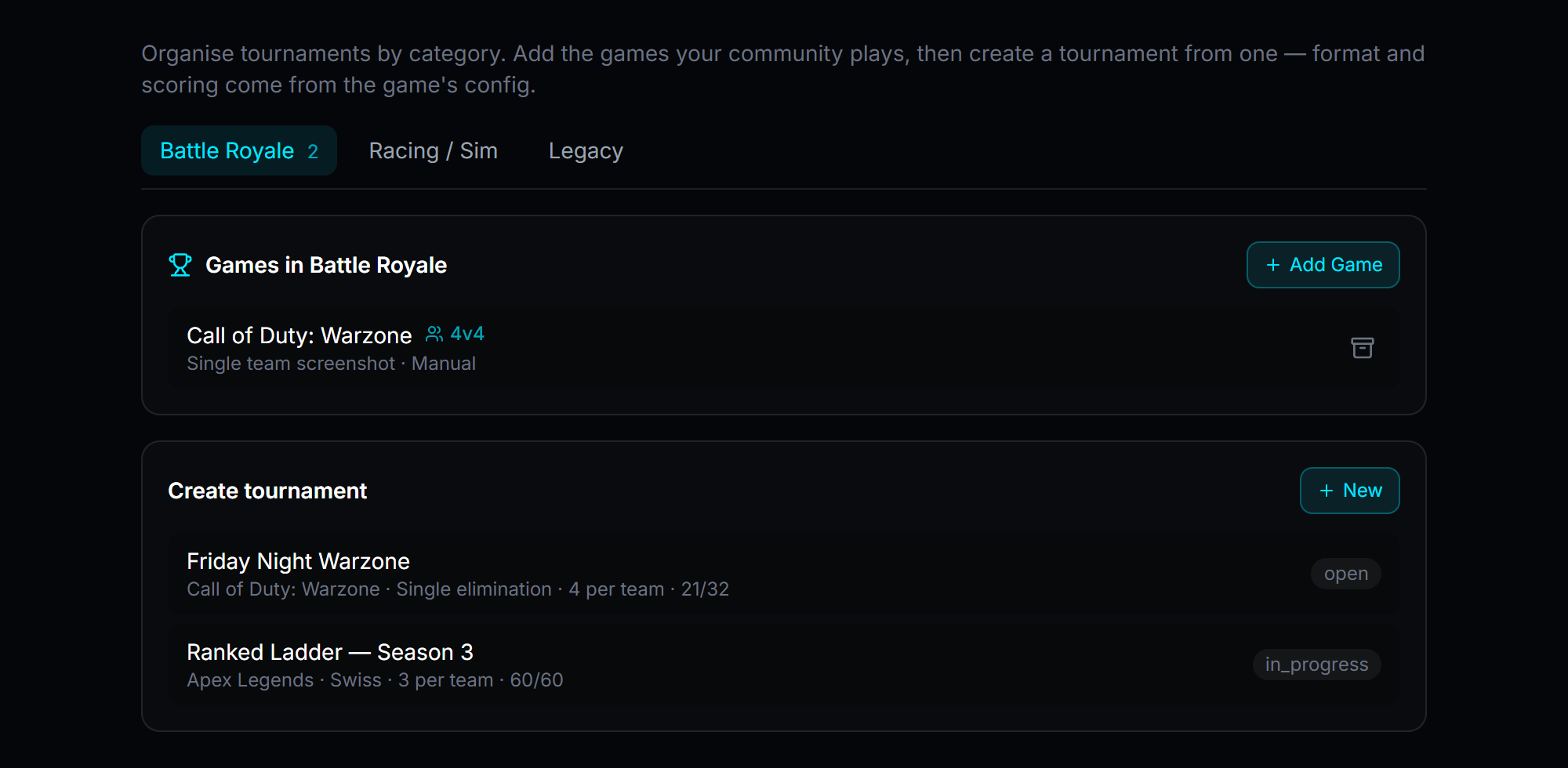
Create, manage, and monitor tournaments from the dashboard without using slash commands. Organize games into categories, spin up a new tournament from any game's saved format and scoring, and track every bracket's status at a glance.
Automated Spotlight (Ultimate)
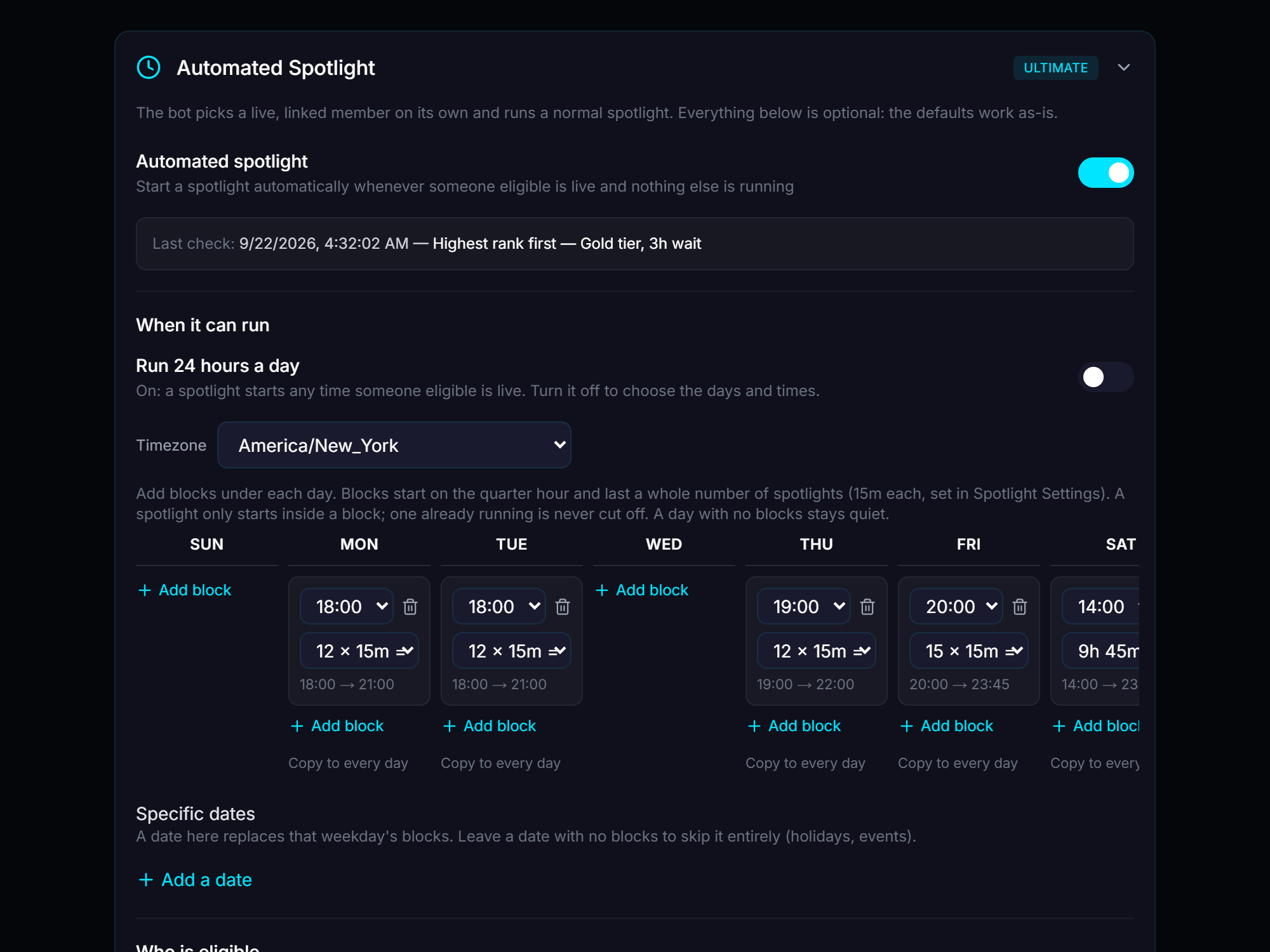
Instead of manually running /spotlight, the bot can pick a live, linked member on its own and run a normal spotlight — on a schedule you control. Set weekly time blocks per day (or run it 24/7), pick which ranks are eligible and in what order, set a cooldown so the same member doesn't get picked back-to-back, and always prioritize the server owner if they're live.
Raid Train (Ultimate)
Manage trains, view the weekly schedule, override slots, handle no-shows, and export the schedule — all from a visual calendar interface.
Configuration Health Check
The dashboard runs an automatic health check on your configuration and surfaces any issues — missing required channels, disabled features with unset dependencies, or permission gaps. You can also run this check from Discord:
Subscription Management
Upgrade, downgrade, or cancel your subscription from the dashboard billing page.