Getting Started
This guide walks you through inviting The Overseer, running the setup wizard, and enabling your first features. Most servers are fully configured in under 10 minutes.
1. Invite the Bot
Go to mavops.org/overseer and click Add to Server. Select your Discord server from the dropdown, then approve the requested permissions. The bot needs:
- Read & Send Messages
- Embed Links
- Manage Roles (for rank promotions)
- Manage Channels (optional, for Private VCs)
- Moderate Members (for Anti-Raid actions)
2. Run the Quick Setup Wizard
The fastest path to a working configuration is the guided wizard. Run it as a server admin in any channel:
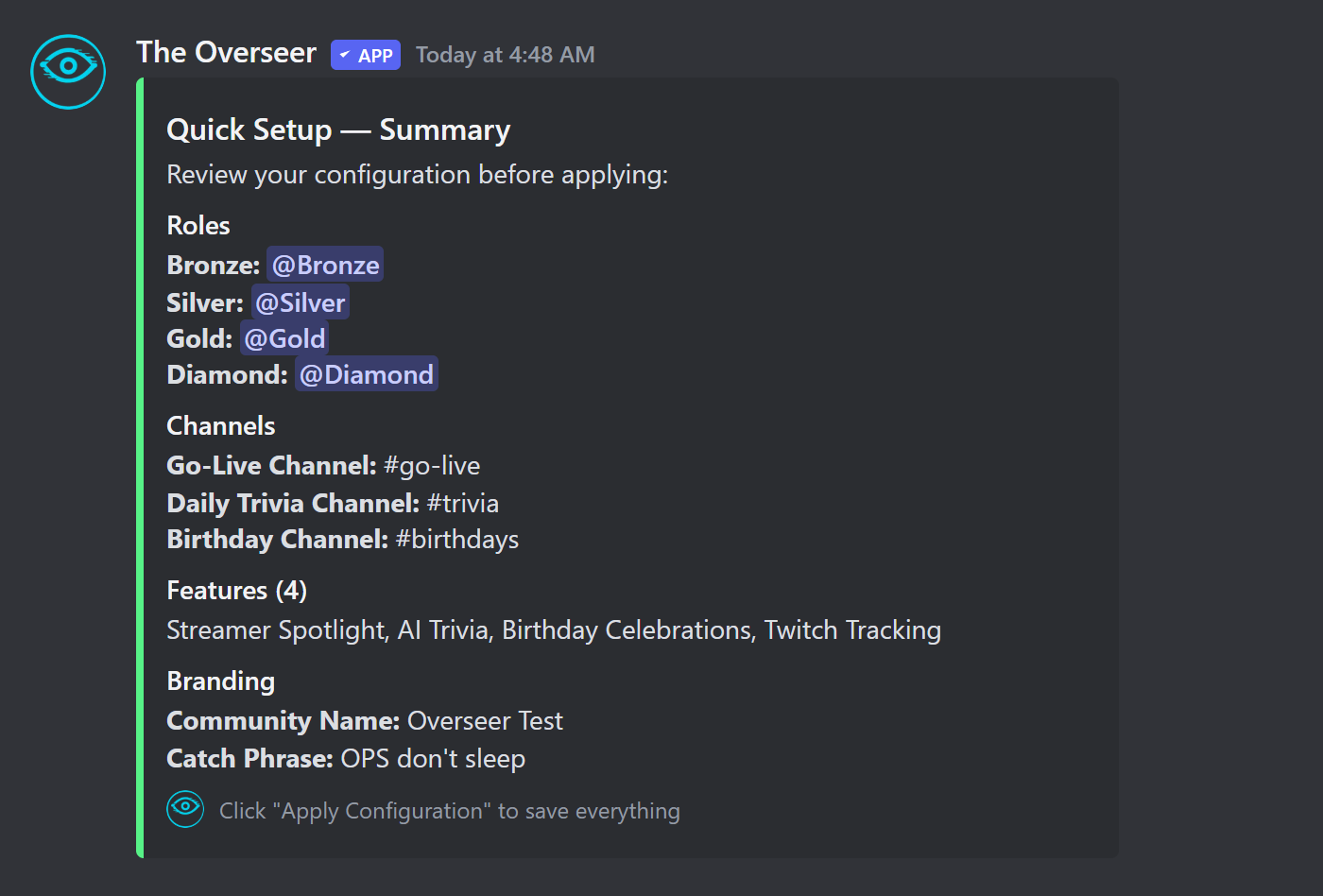
The wizard walks you through five steps:
- 1
Roles
Point the bot to your existing rank roles (Unranked, Bronze, Silver, Gold, Diamond) or let it create them for you. - 2
Channels
Select or auto-create channels: welcome, rules, spotlight, trivia, birthday, go-live announcements, stream recaps, rank-up announcements. - 3
Feature Selection
Toggle which features you want active: XP system, Twitch integration, Spotlights, Trivia, Raid Train, and more. - 4
Branding
Set a custom bot name, community name, theme, member title, and catchphrase. These appear in bot embeds across your server. Premium - 5
Feature-Specific Channels
Assign dedicated channels for trivia questions, spotlight announcements, and rank-split go-live pings (Bronze / Silver / Gold / Diamond).
/setup view to see the current config, or individual /setup <section> commands to update specific options.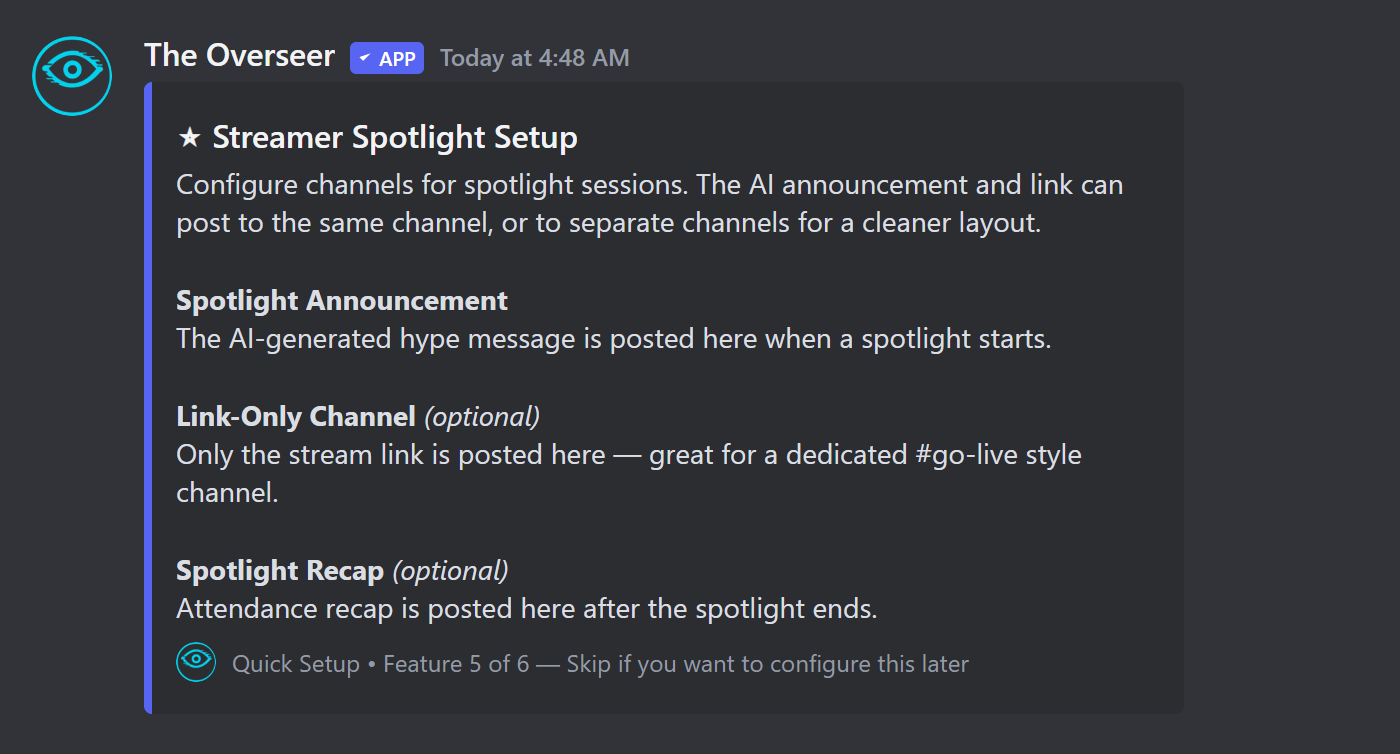
3. Link Twitch Accounts
Members link their own Twitch accounts with a single command:
Once linked, the bot tracks when that member goes live on Twitch and posts announcements to the configured go-live channel based on their Discord rank.
4. Enable Your Trial
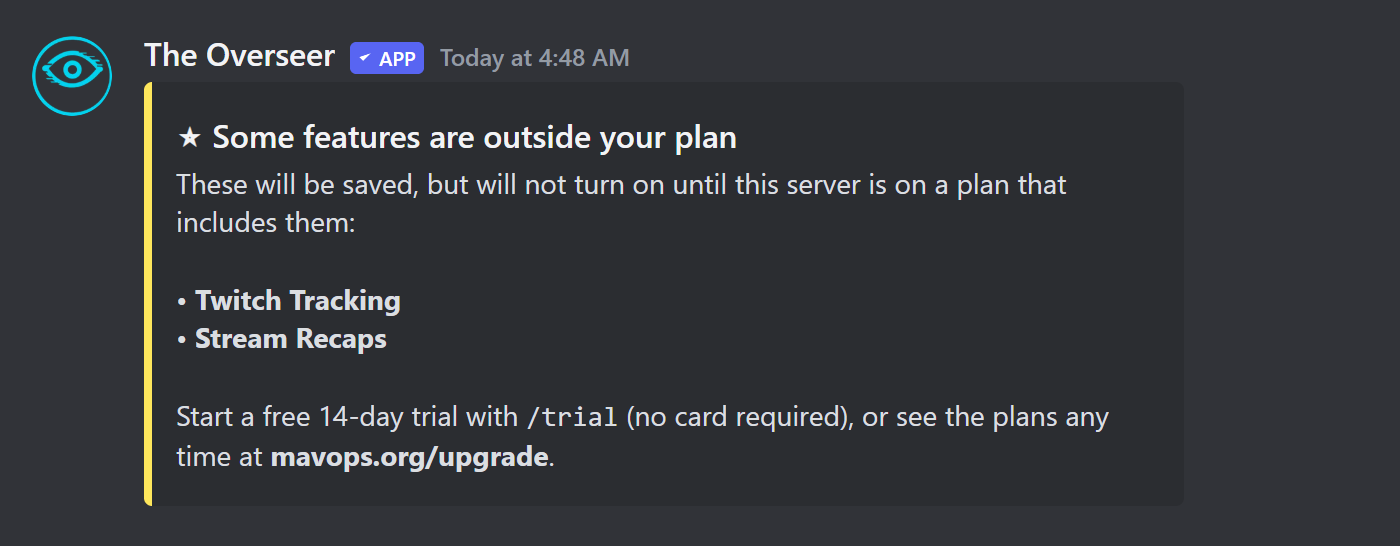
The Overseer's free plan covers XP, leaderboards, ranks, and birthdays. Twitch tracking and trivia start on Starter, spotlights and branding on Premium, and raid trains, AI features, and anti-raid on Ultimate. Start a 14-day free trial of everything — no card required:
Free
$0
- ✓ XP System & Leveling
- ✓ Manual XP Management
- ✓ Leaderboard
- ✓ 5 Rank Tiers
- ✓ Auto Role Assignment
- ✓ Voice Channel XP
- ✓ Birthday Announcements
- ✓ 1 Sticky Message
Starter
$4.99/mo
- ✓ Everything in Free
- ✓ Twitch Integration
- ✓ Stream Chat XP
- ✓ Live Notifications for up to 5 Streamers
- ✓ 1 Trivia Question a Day
- ✓ 3 Sticky Messages
Premium
$9.99/mo
- ✓ Everything in Starter
- ✓ Live Notifications for up to 250 Streamers
- ✓ Streamer Spotlight
- ✓ 4 Trivia Questions a Day
- ✓ Anti-Spam Protection
- ✓ XP Decay System
- ✓ Custom Branding
- ✓ Chess System
- ✓ Staff Scheduling
- ✓ Webhooks & API Access
- ✓ Kick & YouTube Tracking
- ✓ Twitch Subscriber Roles
- ✓ 10 Sticky Messages
Ultimate
$19.99/mo
- ✓ Everything in Premium
- ✓ Unlimited Live-Notification Streamers
- ✓ AI-Written Posts & Replies
- ✓ AI Personality
- ✓ Automated Spotlight
- ✓ AI Trivia & Custom Categories
- ✓ Raid Train Management
- ✓ Tournaments & iRacing
- ✓ Anti-Raid Protection
- ✓ Unlimited Sticky Messages with Embed Styling
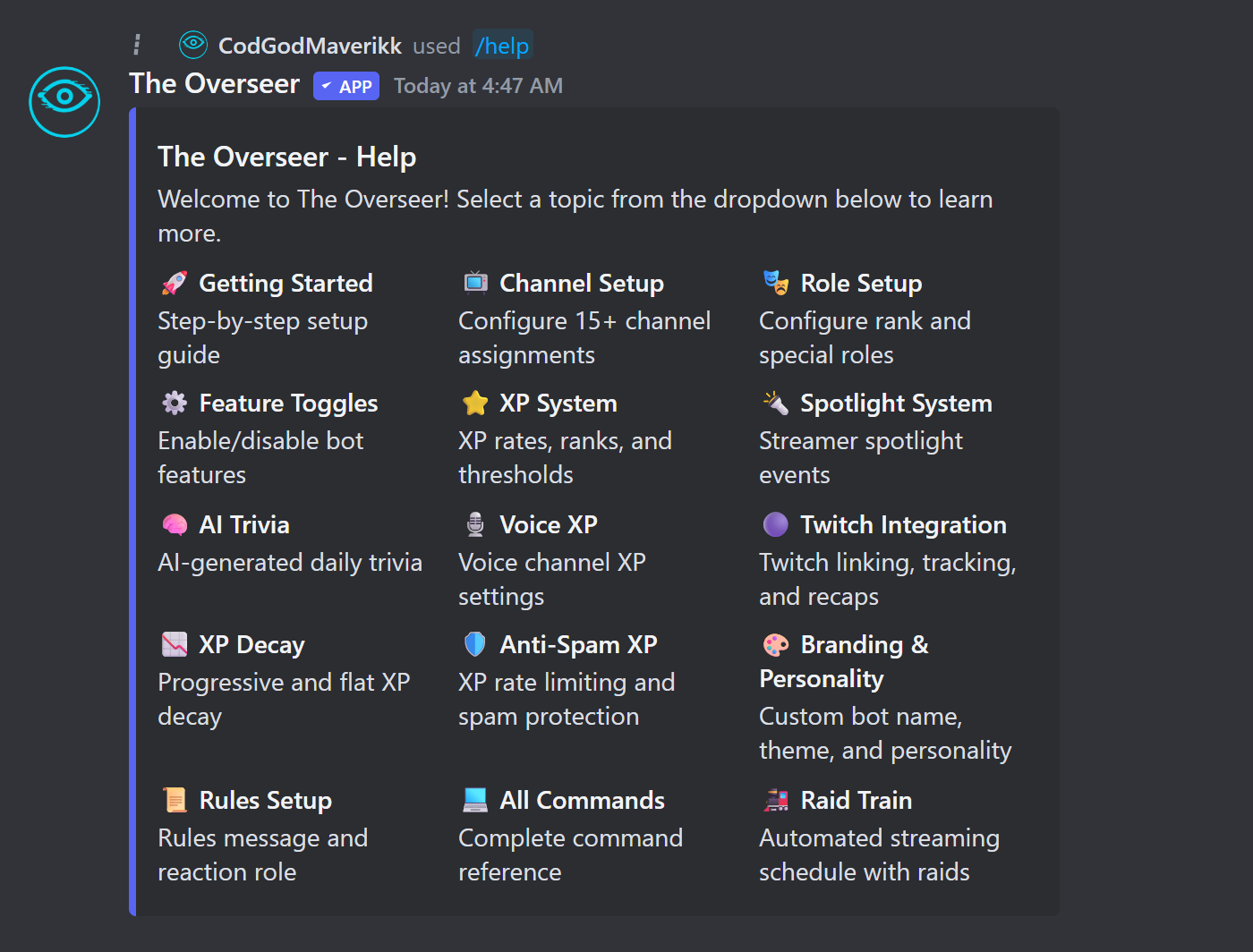
Lost in the settings? Run /help anywhere in your server for a topic picker covering every feature.
5. Next Steps
Configure XP rates →
Adjust message, voice, and spotlight XP amounts.
Set up Twitch tracking →
Connect channels and configure go-live announcements.
Create a Raid Train →
Build a weekly streaming schedule for your community.
Explore the Dashboard →
Manage everything visually at overseer.mavops.org/dashboard.